
Since the 24th October I’d been getting the error “Invalid Update Control CTF File” when trying to update AVG 8.0 on my home PC. I think I remember having this before and it went away after a few days, so I had been ignoring it until today.
Anyway, I found two control files for AVG in the folder “C:\ProgramData\avg8\update\download”, as shown below

I simply renamed them both and then selected “Update Now” after right-clicking the AVG icon on the application tray.
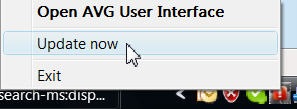
The update applied successfully and now all is well. 🙂